Build and customize an AI Employee for free. Give it your business knowledge, define how it works, and connect it to your website, WhatsApp, or email when you’re ready.
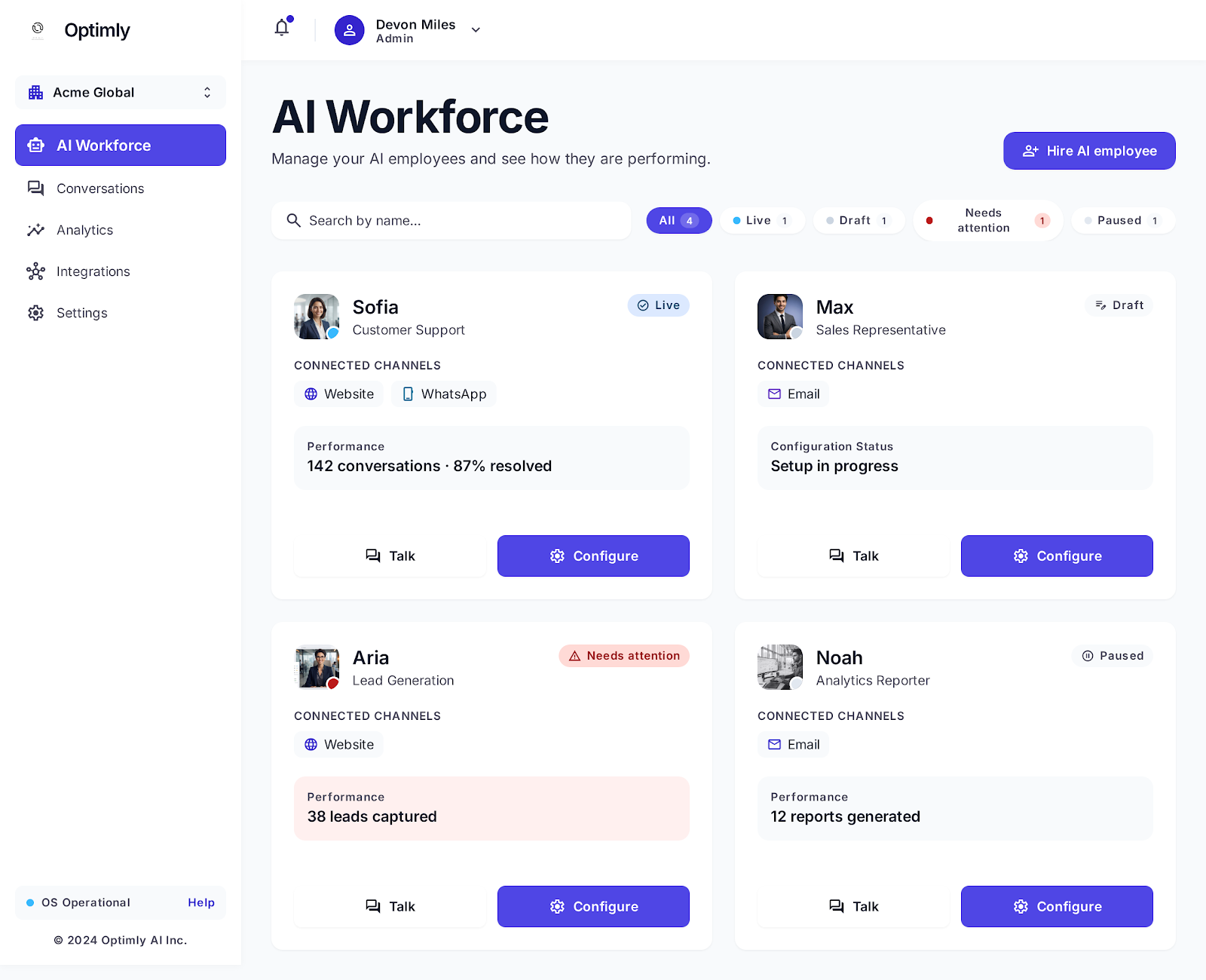
No complicated setup, no hidden code. A straightforward, human interface to define how your AI worker thinks, communicates, and acts.
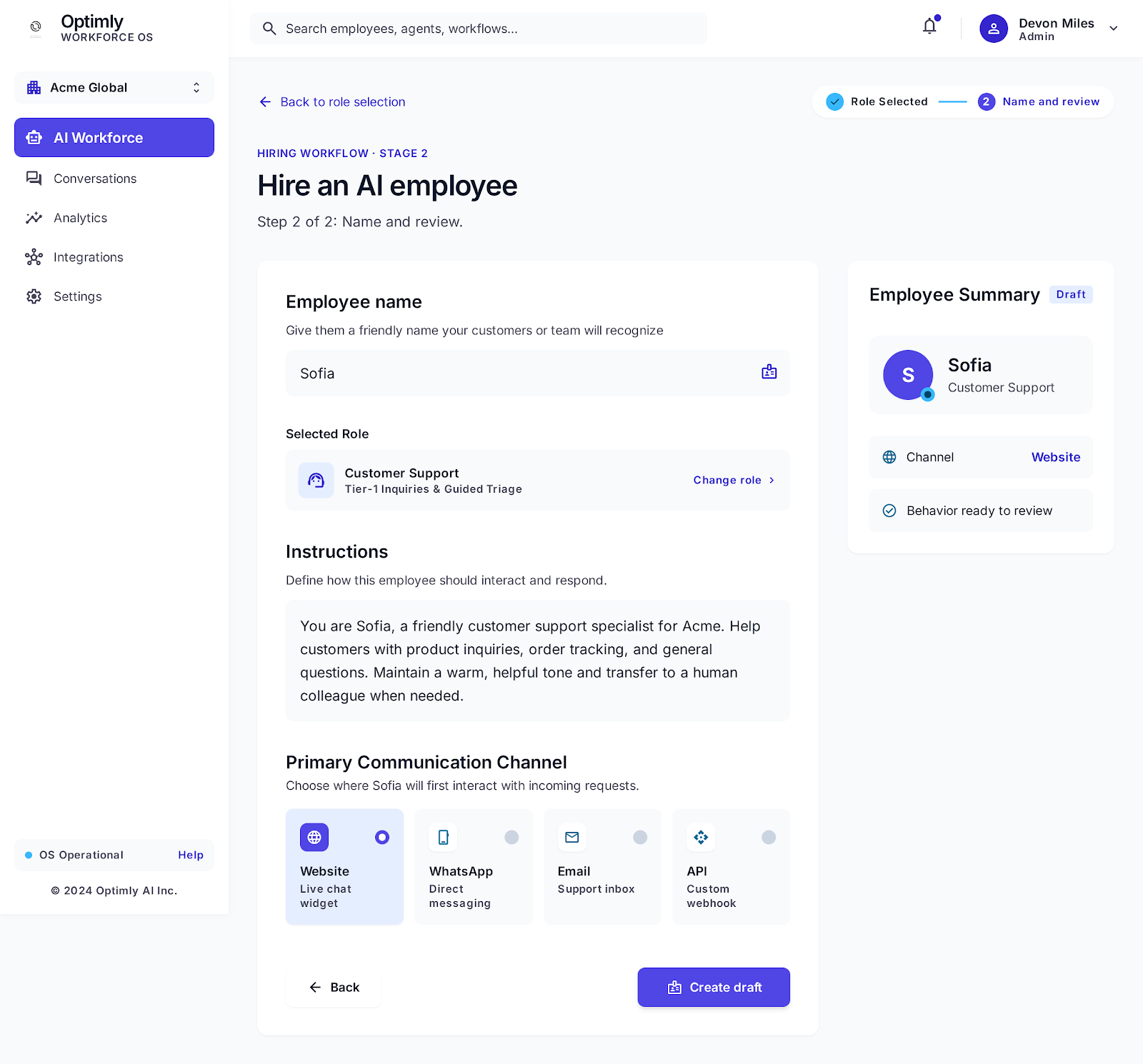
Select pre-tuned roles like Customer Support, Sales Rep, or custom team members.
Set the exact tone: warm & friendly, concise, or strictly technical and formal.
Instruct what it should accomplish, when to guide, and when to ask for human help.
Drop PDFs, documentation, URLs, or FAQs. Grounded answers with zero hallucination.
Anyone on your marketing, sales, or support team can create and launch an employee.
Managing an AI employee should feel as simple as managing a team member. Three steps to full autonomy.
Give it a name, role, objective, and personality.
Pick from tested role archetypes (Customer Support Specialist, Outbound Sales Representative, Lead Qualifier) or configure a custom persona from scratch. Everything is saved as an interactive draft.
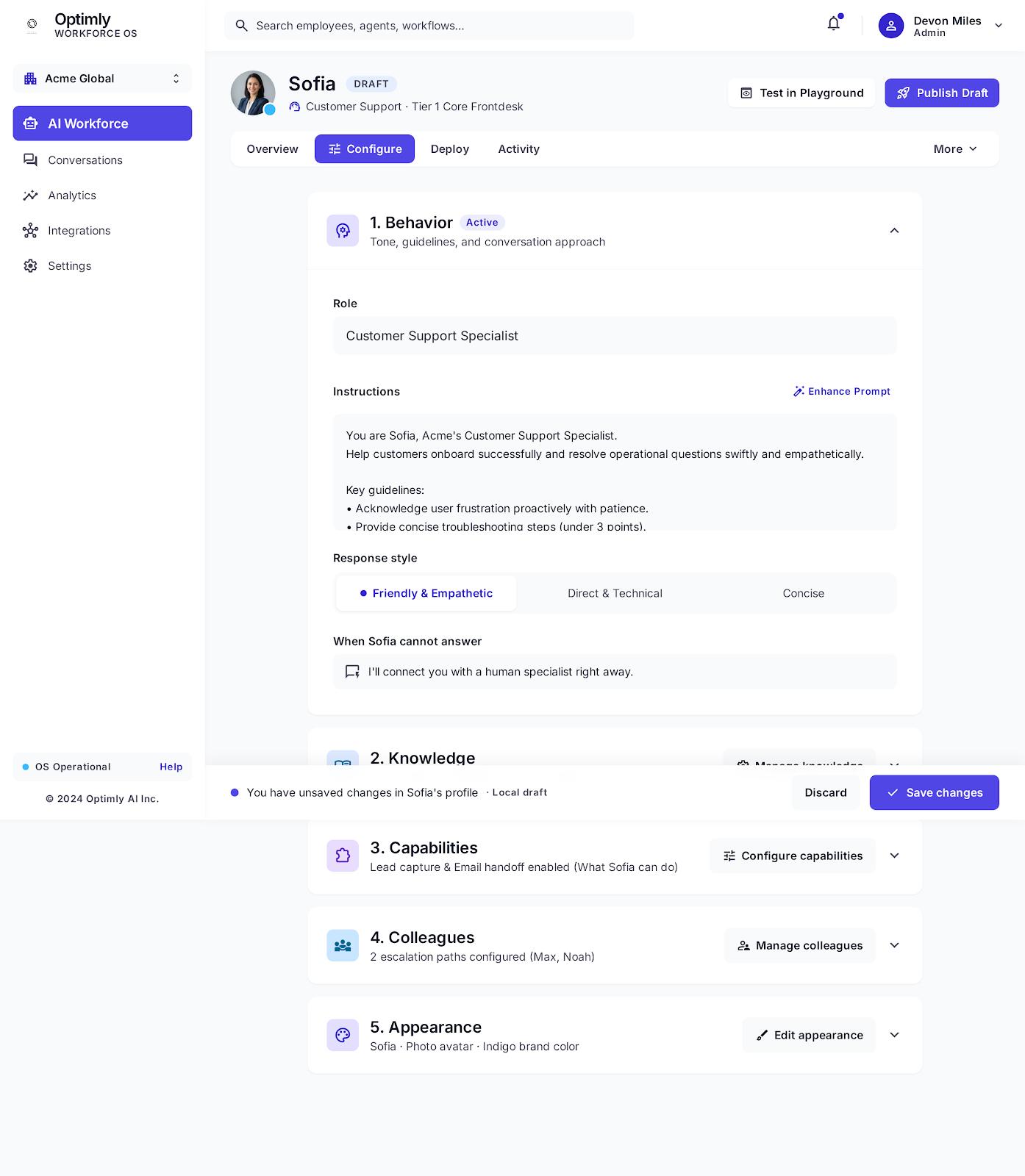
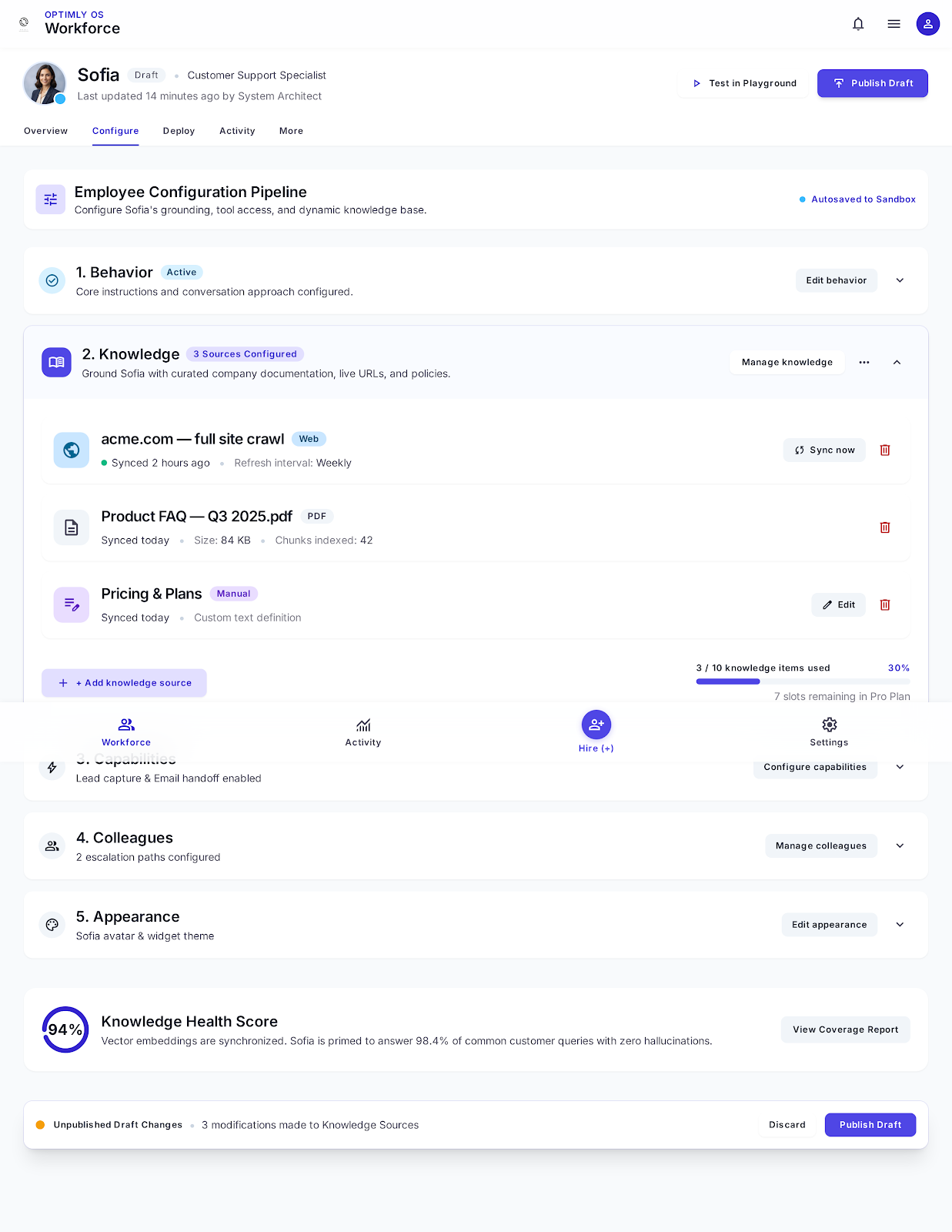
Add your business knowledge, instructions, and preferred way of working.
Ground your AI employee with live company URLs, documentation, product guides, and PDF pricing catalogs. Configure escalation contacts so if a customer requests a refund over $100, the employee routes smoothly to human colleagues.
Connect it to your website, WhatsApp, or email and start using it with real customers.
Test conversations safely in sandbox mode. Once satisfied, activate live touchpoints with a single toggle. No surprise costs while building—you only activate payment when your employee starts serving live customers.
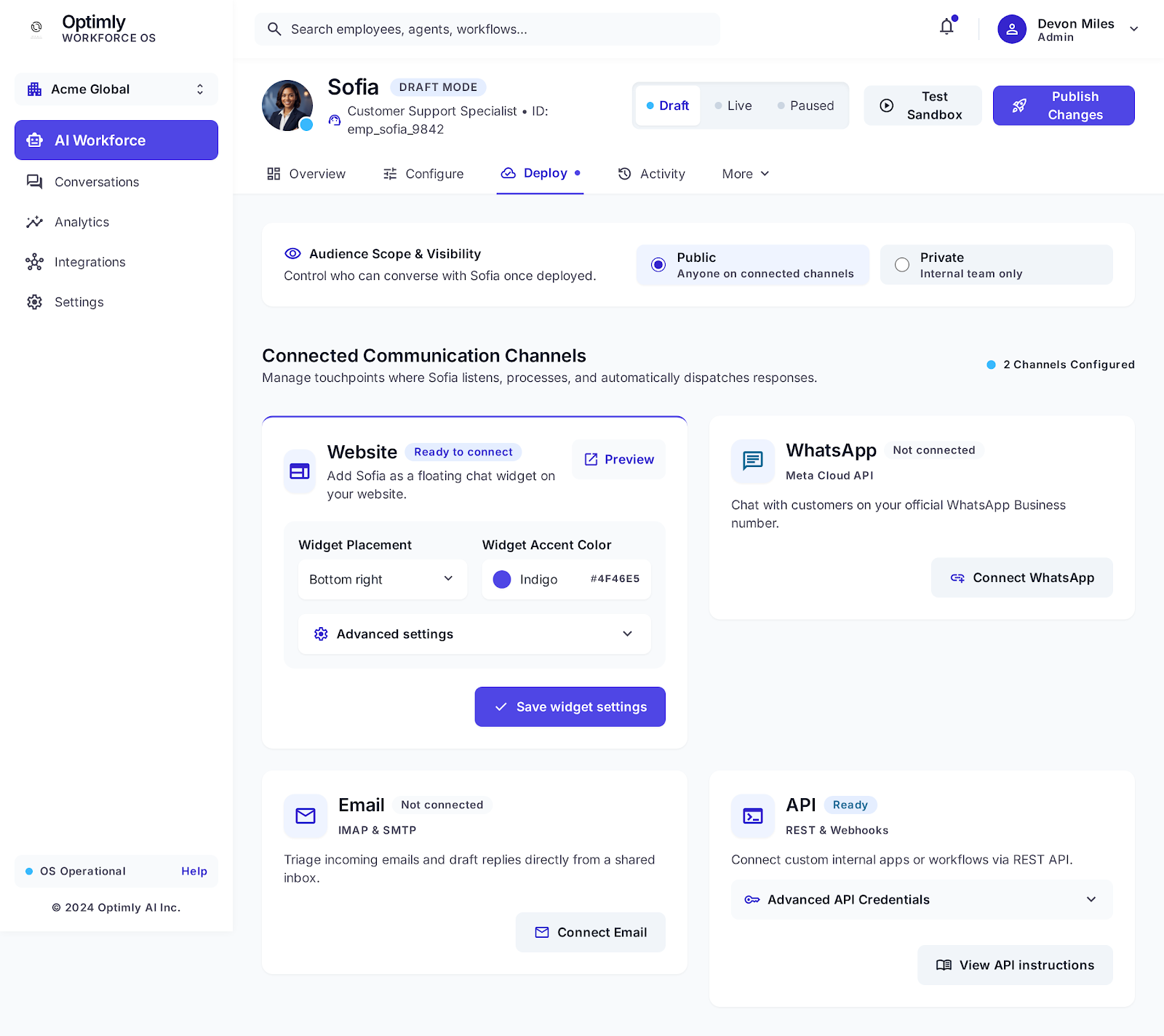
Connect your AI Employee to WhatsApp without dealing with complicated setup, webhooks, or technical configuration. One click and your employee is ready to respond.
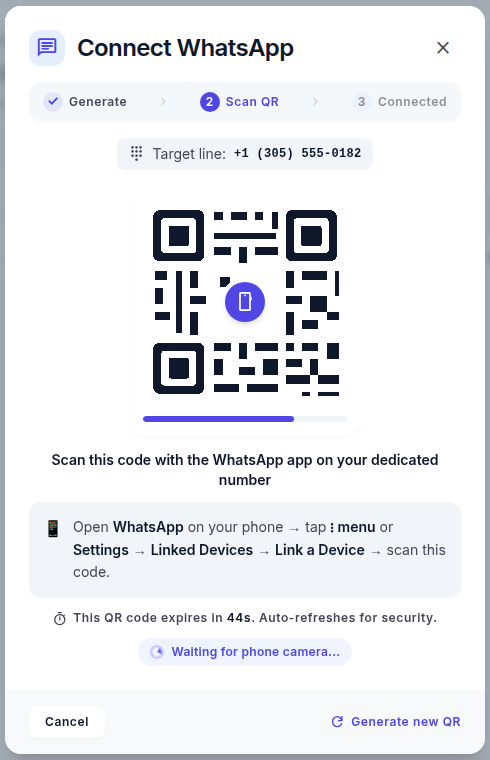
No developer required. Scan with your dedicated business phone number, and your employee begins handling client inquiries immediately.
Not just conversational chit-chat. Autonomous execution that captures revenue, resolves support tickets, and escalates intelligently.
Accurate 24/7 replies based on your synced knowledge bases.
Collects verified contact details, intent data, and schedules demos.
One unified employee brain active across every customer touchpoint.
Instant handover to named team members when sentiment or policy requires it.
Auditable transcripts, satisfaction ratings, and decision context stored safely.
Discovers missing documentation topics to continuously improve accuracy.
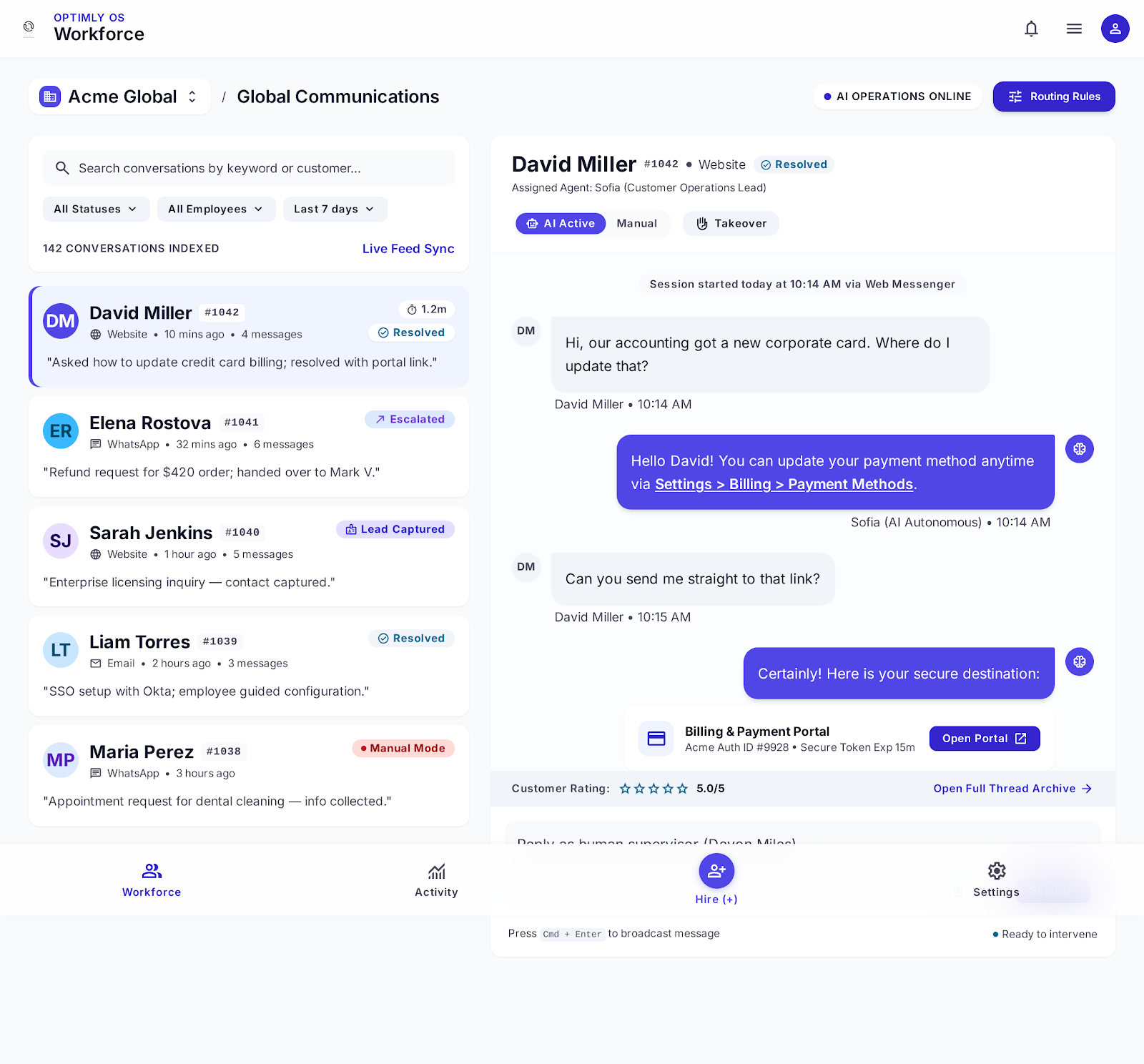
Track conversations, leads, handoffs, sentiment, and recurring questions from one dashboard. Improve the employee based on real interactions.
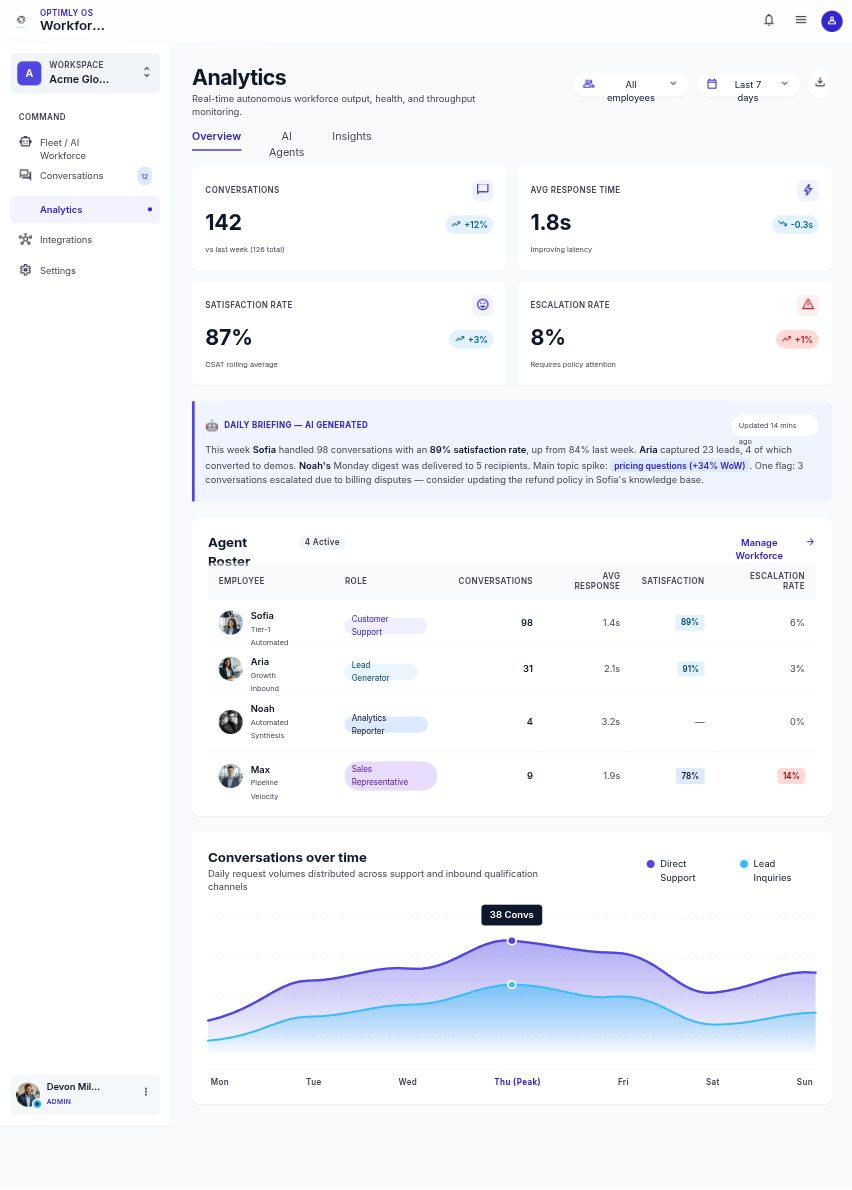
Synthesizes volume spikes, customer sentiment, and flags policy gaps automatically every morning.
Monitor latency and CSAT in real time to guarantee customers receive prompt, high-grade answers.
Seamless human takeover at any second with a single click inside the conversation stream.
Create and customize your AI Employee at no cost. You only start paying when you connect it to a live channel and use it with real customers.
Unlimited testing, prompt refinement, and knowledge uploads are included free of charge during the design phase.
Create and customize your AI Employee for free. Upgrade when you connect it to live customer channels and put it to work.
Build and test your first employee at no cost.
1 AI Employee
Sandbox · limited conversations
One dedicated AI Employee working 24/7.
1 AI Employee
Up to 1,500 sessions/mo
A team of AI Employees across your departments.
Up to 5 AI Employees
Up to 10,000 sessions/mo
Unlimited employees, custom volume, and support.
Unlimited AI Employees
Volume negotiated
No credit card required to build · Cancel anytime · Pay for productive customer conversations, not tokens
Create it for free, customize it to your business, connect WhatsApp in one click, and deploy when you’re ready.
No credit card required to build · Connect WhatsApp in 30 seconds · Cancel anytime